
How do I use 'Add to Buyee' to add an item from SNKRDUNK to my Buyee cart?
When using 'Add to Buyee' to add an item from SNKRDUNK to your Buyee cart, please be aware of the following two points:
1. You must be logged into your SNKRDUNK account. You cannot add items to your Buyee cart if you are not logged in.
2. You can only add one item at a time. If you have multiple items in your SNKRDUNK cart, they will not be added to your Buyee cart correctly.
The detailed steps are as follows:
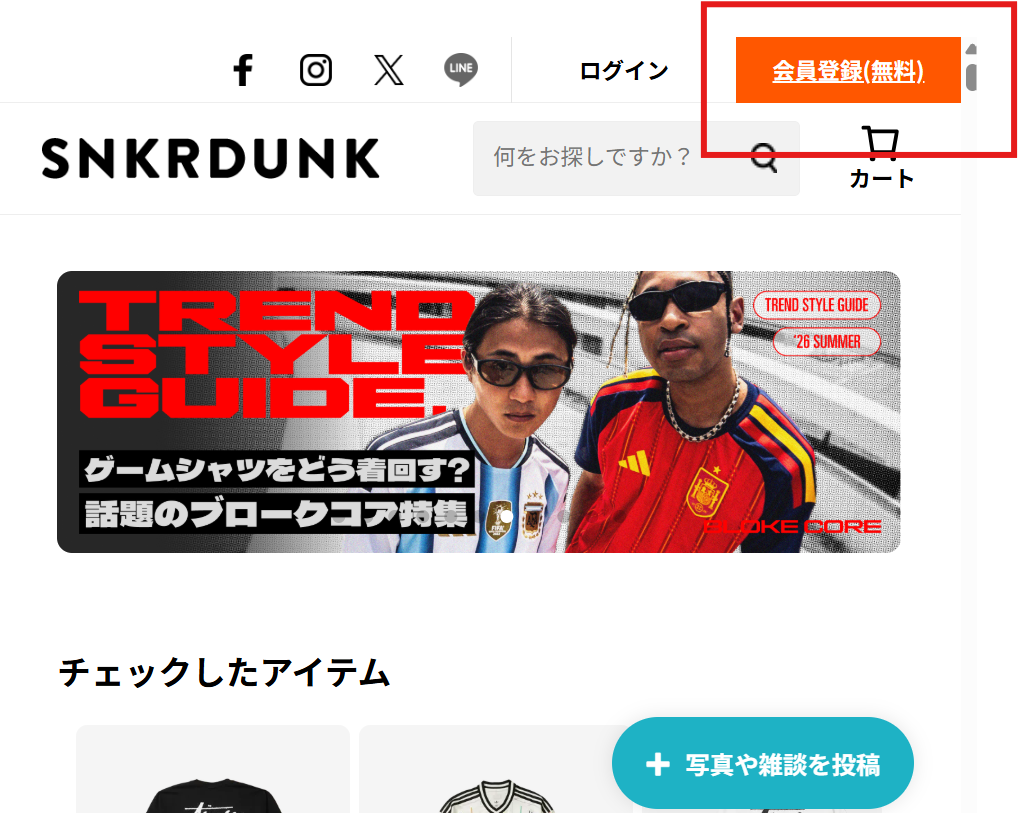
1. Register for a SNKRDUNK account.
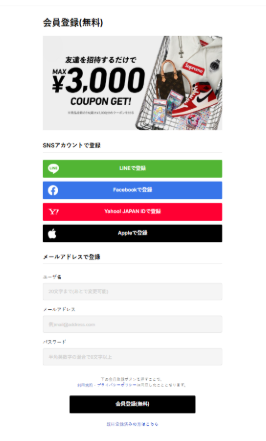
2. Register using a social media account or your email address.
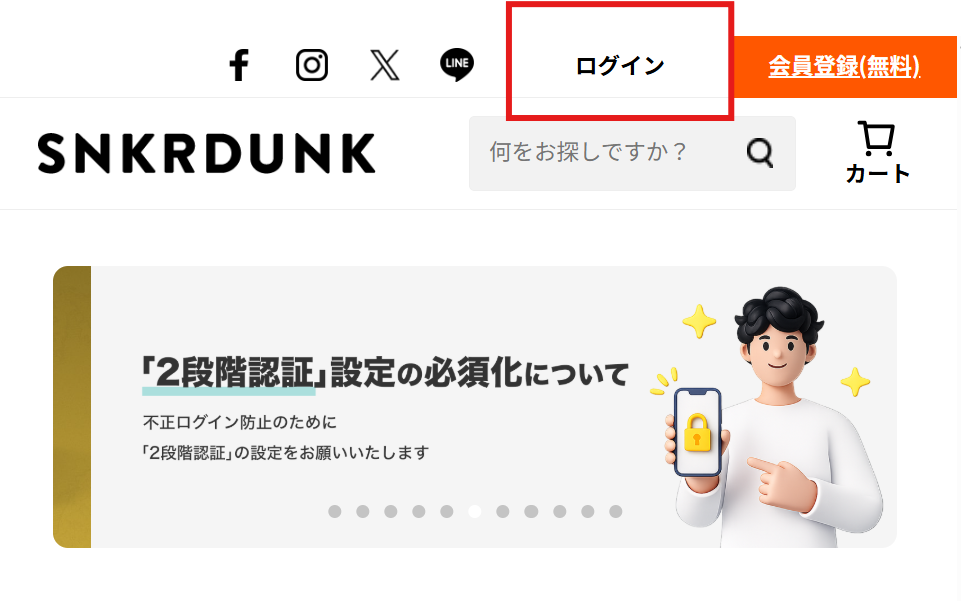
3. Log in to SNKRDUNK.
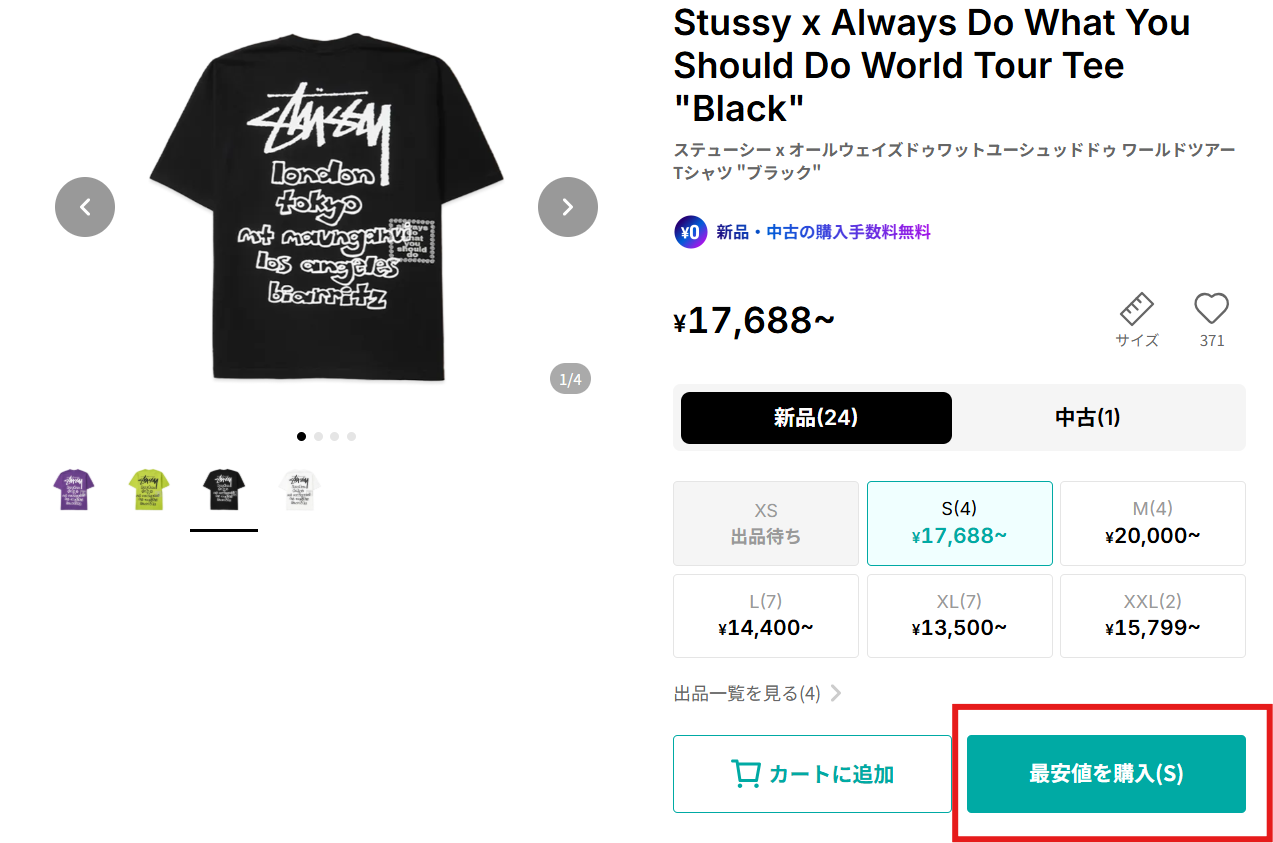
4. Go to the item page and click 'Purchase'.
5. On the purchase confirmation page, open 'Add to Buyee' and add the item to your Buyee cart.
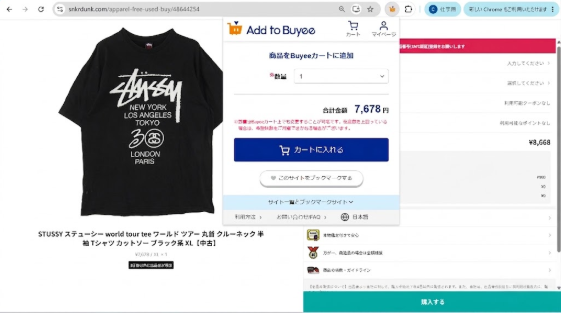
*To add multiple items, please go to another item's page and repeat steps 4 and 5.
1. You must be logged into your SNKRDUNK account. You cannot add items to your Buyee cart if you are not logged in.
2. You can only add one item at a time. If you have multiple items in your SNKRDUNK cart, they will not be added to your Buyee cart correctly.
The detailed steps are as follows:
1. Register for a SNKRDUNK account.
2. Register using a social media account or your email address.
3. Log in to SNKRDUNK.
4. Go to the item page and click 'Purchase'.
5. On the purchase confirmation page, open 'Add to Buyee' and add the item to your Buyee cart.
*To add multiple items, please go to another item's page and repeat steps 4 and 5.
Was this article helpful?
Thank you for your feedback. We'll use your feedback as reference.